Recovery Softwares
Loading...

New Design

Recent Post

Showing posts with label Data Recovery Softwares. Show all posts
Thursday, 1 May 2014
Casper Secure Drive Backup 8.0.4422 Retail

Casper Secure Drive Backup 8.0.4422 Retail

Casper Secure Drive Backup 8.0.4422 Retail

Casper Secure Drive Backup is the first and only PC backup and recovery solution designed specifically for users of Symantec PGP Whole Disk Encryption (WDE) and Windows BitLocker Drive Encryption (BDE) technologies.

Fast, Complete, Encrypted Backups

Casper Secure Drive Backup creates a complete, fully-encrypted backup of your encrypted Windows system hard disk in its original encrypted state. Everything remains encrypted throughout the process, so you can avoid the arduous and lengthy decryption and encryption steps that are required with other disk imaging and backup solutions. Casper Secure backs up everything, including the operating system, applications, settings, and all of your data.

Rapid, Fully-Encrypted Recovery

Whether you need to recover a single file or your entire system, recovery could not be faster or easier. You have complete and immediate access to all of the data on your backup; there are no additional passwords or exotic procedures to follow. In addition, a Casper Secure backup can be completely restored in its original encrypted state, so you can avoid the separate and time-consuming data restoration and re-encryption steps that are required with other disk imaging and backup solutions.

Moreover, if your system drive should fail, a Casper Secure bootable backup can be used as an immediate and permanent replacement: simply restart the computer to the bootable Casper Secure backup†, or remove the failed drive and replace it with the bootable Casper Secure backup. Either way, you can be back up and running in minutes, eliminating a day or more of unnecessary downtime. It really is that easy!

Ensures Compliance with Existing Security Directives

Casper Secure Drive Backup eliminates the security and compliance risks associated with other backup and recovery solutions. With Casper Secure, data is never placed in an exposed or unencrypted state. All data remains in its original encrypted state during and after the backup and recovery processes. This means all backups created, maintained, or restored by Casper Secure maintain 100% compliance with enterprise-wide data security directives and HIPAA requirements. It also means there are no new passwords for you to remember or IT to manage and there are no new encryption technologies to vet.

With Casper Secure, the backup is guaranteed to be as secure as the original.
Easily Upgrade Your Encrypted System Drive

Casper Secure Drive Backup quickly duplicates an encrypted system drive to another drive without requiring a laborious and time consuming backup, restore, and re-encryption process. Casper Secure Drive Bakcup makes it extraordinarily easy to safely and securely replace your encrypted system drive with a larger hard drive for increased capacity or with a faster Solid State Drive (SSD) for improved performance.
Always Convenient and Easy-to-Use

Casper Secure Drive Backup enables complete system backups to be performed at any time without leaving Windows, so there is never a need to restart the computer or stop work to create a backup.

Easy to follow wizards and innovative technologies like Casper SmartStart™ make it easier than ever to create and maintain complete system backups for your encrypted PC.
Unparalleled Safety and Dependability

With its exclusive Automatic Copy Verification technology, you can rest easy knowing your backup has not been compromised by faulty RAM, a defective cable, failing disk or bad controller interface.

For added peace of mind, a bootable backup created by Casper Secure Drive Backup can be tested immediately after its creation by simply configuring the computer to boot from it – completely eliminating any worry about the integrity of the backup.

http://sh.st/wA8K1


Sunday, 26 August 2012
TuneUp Utilities 2012 12.0.2160.13 Full • Inc serial

TuneUp Utilities 2012 12.0.2160.13 Full • Inc serial


TuneUp Utilities 2012 12.0.2160.13 Final - English - Full

Incl. Serials CORE

Released: july 14, 2012


The functions of TuneUp Utilities 2012


TuneUp Utilities 2012: The all-around worry-free package for your Windows PC.


TuneUp Utilities 2012
provides you with a complete toolbox for optimizing Windows. Clearly structured tools in six categories get the best out of your PC. The tools are easy to use and intuitive.


Professional assistance for your Windows PC

Improve your system's performance, thoroughly clean up your hard drives, solve your PC problems with a few clicks, and customize windows to your personal requirements. All in one program, simple and intuitive - TuneUp Utilities 20112


10 fundamental reasons for using TuneUp Utilities 2012


* Powerful hard drive defragmentation

* Optimum start-up, Internet, and Windows acceleration

* Quick and extensive clean-up for hard drives

* Effective elimination of junk data

* Fully-automatic clean-up and improvement of your PC

* Extensive clean-up of the registry

* Effective help in solving standard Windows problems

* Secure data recovery and data elimination

* Simple custom Windows configuration

* Individual Windows styling


Fast, Effective Windows Optimization

* One-click overview of your PC performance

* Quick analysis of your PC’s hardware, operating system, and programs

* Real performance increases, real fast

* Easy-to-understand help functions


Safe Windows Optimization

* Provides you with safe and effective optimization results

* Corrects all mistakes created from previous tuning attempts

* Comprehensive and easy rollback ability for any changes made to your PC


Intelligent Windows Optimization Built in for Every PC

* Intelligent recommendations for your unique PC optimization

* Identifies your personal settings and protects them

* Highlights your PC’s optimization potential, including unused programs and resource-draining settings

* Recommends options and explains performance results before taking any action


Perfectly Designed for Your Windows Operating System

* Automatically detects and configures for your operating system

* Ideal for XP, Vista nad Win7 (32/64 bit) users

* Designed to leverage the unique features within each operating system


Changes in TuneUp Utilities 2012 12.0.2160.13:


* The execution of background programs has been optimized.

* Some language improvements have been made.

* Several minor errors have been corrected.


Compatible with: Windows XP, Vista and Windows 7 ( 32 and 64 bits )
Saturday, 14 July 2012
no image

Lazesoft Data Recovery Unlimited Edition 3.0


Lazesoft Data Recovery offers home users and businesses complete solutions to recover deleted files or lost due to the format or corruption of a hard drive, virus or Trojan infection, unexpected system shutdown or software failure. With easy to use interfaces and the most powerful data recovery software engine, you can using Lazesoft Data Recovery recover data by yourself, preview recovered files while the search is in progress.
Easy recovery in all major data loss cases.
• Accidentally deleted files or emptied from recycle bin
• Formatted media/disk drive/partitions/dynamic volumes
• Logically crashed disk
• Data deleted using Shift+Del keys
• Files corrupted due to virus attacks
• Software crash
• Power faults
• partition with corrupt file systems, etc.
• Recover files even when your computer cannot boot up and cannot enter Windows.

Recover Data When Windows Cannot Boot up normally!
• On some disk or Windows serious crashed, you might not be able to boot up your computer and enter Windows. Lazesoft Data Recovery can burn a bootable data recovery CD/USB and allow you to boot up your computer and rescue your data.
• Boot from various brands of desktops, laptops like Dell, ThinkPad, Hp, Sony, Toshiba, Acer, Samsung, etc.
• With WinPE-based and linux-base bootable disk builder, Lazesoft Recovery Suite has best hardware compatibility.
• Boot up computer from CD or usb disk.
• User friendly Boot Media Builder interface

What are the requirements to create a bootable CD of the software?
Since, this data recovery software runs only from a bootable CD, you need to create a boot disk for using the system. For this purpose, you require the following resources:

• A working Windows computer on which you can download bootable image of the software.
• A CD drive to burn the software image on CD.
• A recordable CD.

What version of Microsoft Windows is supported by Lazesoft Data Recovery?
The software supports:

• Fully supports Windows 7, Vista, XP
• Fully supports Windows 2008 R2, 2008, 2003, 2000 servers


Download from Letitbit

no image

Munsoft Easy Drive Data Recovery 3.0 Portable


Easy Drive Data Recovery - restore data from damaged vashie or accidentally formatted disks. The program uses powerful unique algorithms that allow to recover even files that are not present in the file system entries. Just select a disk with data to be analyzed and you can select files to restore by looking at their contents. No matter how your data was lost, the program will receive the maximum number of files.

Features:
Can be found by filtering files by name, date, size or recovery status;
Temporary files, folders and temporary internet files can be excluded from the search results;
It supports international characters in file names and folders;
Supports compressed files and named data streams NTFS;
Files can be recovered even after reinstalling the operating system;
Optimized by speed search engine;
The supported file systems NTFS, FAT32 and FAT16;
It supports hard disks IDE, ATA and SCSI;
You can recover files even if you delete them in DOS;
It supports hard disks of a large volume;
Supported operating systems Windows ® 2000, XP, Server 2003, Vista, Server 2008 and 7


Download from Letitbit
Monday, 7 May 2012
no image

PC Tools File Recover 9.0.0.152 | 10.2 MB

PC Tools File Recover 9.0.0.152 | 10.2 MB
Letitbit & Filesonic

PC Tools File Recover - A powerful program that offers its users a convenient means for recovering deleted files from your system. Supports recovery of files deleted is not in the Recycle Bin, deleted by viruses or programs lost due to software failure. If the remote file has been partially overwritten, File Recover attempts to restore it to the existing content.


PC Tools File Recover works with hard drives, floppy and other sources of data storage, has high speed and supports batch file processing, understands file systems FAT16, FAT32 and NTFS.

File Recover feature highlights:
- Recovers files instantly from hard drives, floppy drives and other types of fixed media. If you are a home user or a network administrator, File Recover fills a critical gap in your data protection strategy.
- Rapid scan engine - a typical hard drive can be scanned for recoverable files within minutes.
- Scan all files and directories on selected hard drives.
- Search for a recoverable file using part or all of its file name.
- Utilizing a non-destructive, read-only file recovery approach. File Recover will not write or make changes to the section of the drive from which it is recovering data.
- Batch file recovery (recovers multiple files in one action).
- Works around bad-sector disk areas. Recovers data where other programs fail.
- Supports standard IDE / ATA / SCSI hard drives, including drives larger than 8 GB.
- Supports hard drives formatted with Windows FAT16, FAT32 and NTFS file systems.

Download
http://www.filesonic.com/file/3232360284
http://letitbit.net/download/04162.050c55d9890b06220ea12eda0450/PC_Tools_File_Recover_9.0.0.152.rar.html
Thursday, 16 June 2011
no image

Data Rescue 3 (Mac)

Data Rescue 3 is the best digital data recovery software on the market for recovering files from a problem hard drive or that have been previously deleted. Data Rescue 3 is for computer data recovery and works when other tools fail. Data Rescue 3 is also completely safe to use since it does not attempt any risky repairs to the drive it's scanning. Data Rescue 3 is the safest, most powerful software for data recovery. Data Rescue 3 is the same software used by many data recovery services! Data Rescue 3 has saved our customers from having to use a data recovery service, which can cost thousands

DOWNLOAD :
no image

iCare Data Recovery Software v3.8.3

Data loss won't be your headache! As a comprehensive data recovery solution, iCare Data Recovery can easily recover files from wrong formatted drives, unexpectedly file deletion, raw drive or raw filesystem, virus attack, partition deleted, software crash etc. It can recover any deleted files like photos, documents, mp3, outlook file, presentations, and it also works with any type of storage media like hard drive, removable hard drive, digital cameral sd card, usb drives, ipod, memory card etc.

"iCare Data Recovery Software combines simplicity of use with the most powerful file recovery software engine, which can search and find files&photos missed by other recovery software, together with a unique capability of "on-the-fly" data preview while the search is being conducted."

Download:
http://www.fileserve.com/file/r6NqWJV/iCare.Data.Recovery.Software.3.8.3.rar
no image

Power Data Recovery 4.6.5

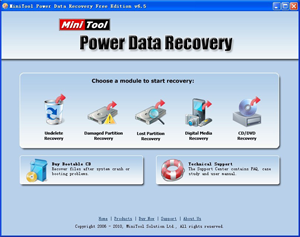
Power Data Recovery is a powerful data recovery software developed by MT Solution Ltd. Since the first release of version 1.0 in 2003 we have had many happy customers around the world. It is one of the fastest and most effective programs of the data recovery software. Power Data Recovery is becoming the first choice when you need data recovery software to help you recover your lost data.

Power Data Recovery is a professional File Recovery Software and Data Recovery Software. Power data recovery software could help you recover all your data no matter the data is lost by accidental deletion, format, re-partition, system crash or virus attack. Power data recovery is able to scan your device sector by sector to recover what ever left on your device.
Power Data Recovery provide deep scan module which can scan and analyze raw data format including Microsoft Office files, digital graphics/pictures, audio/video files. Please visit deep scan page for complete raw file format list.

Feature overview
• Recover data after accidental deletion
• Recover data after an accidental format
• Recover data from an inaccessible volume(logical drive)
• Recover data after FAT corruption
• Recover data after repartition (fdisk)
• Recover data from a crashed physical device
• Recover data after an MBR corruption
• Recover data from a hard disk drive, camera card, USB drive, Zip, floppy disk
• Recover data for any error except physical damage

Key Features
• Supports FAT 12/16/32
• Supports NTFS
• Supports NTFS compressed and encrypted files
• Supports RAW data recovery
• Built-in preview function
• Built-in resume recovery function
• Built-in Recovery Wizard
• Supports Dynamic Volume including Simple Volume, Spanned Volume, Stripe Volume, Mirror Volume and Raid Volume.

Download: 2.2 MB
http://uploading.com/files/92d3bce5/Power.Data.Recovery.4.6.5.Crack.Max.Payn3_www.dl4all.com.rar/
no image

ASEUS Data Recovery Software

ASEUS Data Recovery Software – Data Recovery Wizard Professional 5.0.1 | 5.8MB

The professional Data Recovery Software is compatible with Dynamic Disk and Linux File System. Data Recovery Wizard Professional will help computer users out of all data loss problems.

It can do format recovery, recover deleted files emptied from the Recycle Bin, or data loss due to partition loss or damage, software crash, virus infection and other unknown reasons. Data Recovery Wizard Professional works perfectly with hardware RAID and hard drive, USB drive, SD card, memory card, etc. It provides the comprehensive data recovery solution for computer users.

New Upgrade! – Support Windows Server 2008 and Windows 7

download
DiskGetor Data Recovery 2.0.5 | 5.43 MB

DiskGetor Data Recovery 2.0.5 | 5.43 MB

DiskGetor Data Recovery is powerful Hard drive Data Recovery Software, can recover deleted data , lost data , damaged data , formatted data from hard drive or partition.

Even if you have written part of data, DiskGetor Data Recovery still find its directory tree from hard drive .
Hard drive data recovery
DiskGetor Data Recovery can recover data from formatted hard drive, lost hard drive or damaged hard drive, Ghost hard drive. supprt Seagate , Western Digital , Maxtor , Samsung , Hitachi , Fujitsu , Toshiba hard drive data recovery.
Disk Recovery
can recover lost data , deleted data, damaged data , formatted data from hard disk,usb disk . you can use the best disk recovery software recover you lost data .
Data Rescue
Use the best data rescue tool rescue my lost data ( word ,excel ,ppt, office document etc important files after fomatted or deleted ) from hard drive , pen drive , usb,
Partition Recovery
DiskGetor Data Recovery can recover data from formatted partition, missing partition , lost partition , repartition , changed partition , partition table damages or damaged partition
Our powerful data recovery free fast scan hard drive. rapid recover the lost data or deleted files from Hard Drive ,USB ,Memery Card, DV ,PEN drive etc other external drive .

Download:

Mirror:
http://uploading.com/files/QDT425M9/182.diskgetor.rar.html
no image

Smart Data Recovery 4.3

Smart Data Recovery by Smart PC Solutions is a perfect solution for rush data recovery. If you have no specialized experience in data recovery, but need your data back right away with no risk, Smart Data Recovery is an ideal tool for you.

Fixing your files and recovering your data, Smart Data Recovery is designed as a fully fool-proof solution. A simple step-by-step wizard guides you through the recovery process, asking you questions that are easy to understand and to answer, such as asking you to pick a disk that contains files to recover. To make things run even smoother, Smart Data Recovery has a U3/USB edition that runs from a flash memory card, minimizing unnecessary writes to the damaged disk.

Download:

Mirror1:

Mirror2:

Mirror3:
Wednesday, 15 June 2011
no image

Wondershare Photo Recovery v 3.0.0

Wondershare Photo Recovery v 3.0.0


HOMEPAGE :


Code:
http://www.wondershare.com/data-recovery/photo-recovery.html

INFORMATION :


What’s New in Version 3.0.0

Offer brand new user interfaces

Improve software performance significantly

Support more formats.

Add Resume Recovery function which can recover data from the previous scanning results without rescanning.


Recover Your Photos, Get back Your Sweet Memories!

Wondershare Photo Recovery is a reliable photo recovery software to easily perform photo recovery with nice quality. It can recover deleted, formatted, lost and inaccessible photos, videos, and audio files from digital camera, memory card, USB drive, internal hard drive and other storage devices within a few mouse clicks. Preview ability lets you enjoy photo recovery in advance.

Powerful Recovery Ability

Recover not only photos, but also videos and music files;

Deep scan-Recover photos that even overwritten or cannot be recovered by other recovery tools to get complete photo recovery.

Various devices supported-Recover deleted photos from PC, USB drive, digital camera and other storage media.

Overall data loss scenarios supported- Recover photos lost due to accidental deleting, formatting, improper device usage, virus attack, software crash, and other reasons.

Flexible & Precise Photo Recovery

Flexible to pause, restart photo recovery in the scan process according to your needs.

Save and import the previous scanning results to do resume recovery without rescanning.

File name, size and date filter let you find specific files quickly to save you much time.

Preview Ability

Preview thumbnail lets you preview recoverable images .

Enjoy photo recovery and check recovery quality in advance.

Automatic Classification

All recoverable photos, videos and audio files are classified automatically according to formats to save you much time.

Easy-to-use

Recover photos within only 3 simple steps, just as easy as counting 1-2-3. No any recovery skills needed.

Platform: Windows 7/ Vista / 2000 / XP


Wondershare Photo Recovery Reference

All the devices supported

Digital Cell Phones:

Black Berry,Nokia..... SD card Hard Disk

PC/Laptop: Dell, IBM, HP, Toshiba, Sony….. XD Picture Card Compact Flash

Memory Stick Duo Memory Stick Pro/Duo Memory Stick Pro Duo

MultiMedia Card MMC SmartMedia Zip Disk

Floppy Disk any compact flash any memory stick

All the cameras supported

Canon Nikon Casio Kodak Samsung Sony Olympus

FujiFilm Panasonic Sanyo Konica Agfa Argus Chinon

Epson HP Hitachi IBM Imation Sharp JVC

Goldstar Kyocera Kinon Lexar Leica Minolta NEC

Phillips Pentax Ricoh SanDisk LG Toshiba Lumix

Polaroid Verbatim Vivitar Sigma Yashica And more..

File types supported

Standard/Graphic Image GIF, TIF, BMP, JPG, PNG, PSD, WMF, CR2, DNG, RAF, ERF,

RAW, NEF, ORF

Video: AVI, SWF, MPG, RM, WMV, MOV, 3GP, ASF, MP4, M4V, FLV

Music : MP3, WAV, WMA, OGG, AAC, AIF(AIFF), M4A, MID(MIDI)

Recover Photos Lost Due to

Data loss scenarios supported

Accidental deleting

• 'Shift + Del' without backup

•'Delete All' when deleting not-so-good photos

• Delete pictures instead of saving by accidentally pressing wrong button

• Emptying Recycle Bin without backup
Formatting

• 'Media/Drive is not formatted, would you like to format now?'

• Disk initialization when digital camera memory card is just connected
Improper operation

• Factory setting of device without backup

• Turning off the camera during the writting process

• Using card between different cameras

• Pulling out SD card while the camera is on
Other reasons

• Virus infection

• Unexpected power off

• Losing photos during transferring photos from storage device to PC/laptop

• Any type of file system corruption in camera storage device, hard drive and USB flash drive


System Requirement :

For better running photo recovery and get higher recovery quality, please check your computer system at first.

Supported OS: 64 bit & 32 bit of Windonws 7 / Vista / XP / 2003 / 2000

CPU: Pentium 1000MHz and above

Hard Disk: 10 MB of free space

RAM: 1G and above


SCREENSHOTS :


DO NOT "LAUNCH" THE APPLICATION .. UNTICK AND CLOSE .. COPY AND PASTE THE Register.dll TO "C:\Program Files\Wondershare\Photo Recovery\PhotoRecovery.exe".. REPLACE THE ORIGINAL ...


NOW..LAUNCH THE APPLICATION...


This image has been resized. Click this bar to view the full image. The original image is sized 799x521.


FILE SIZE :

Code:
7.21 MB

DOWNLOAD :


Code:
http://www.easy-share.com/1915248415/Wondershare_Photo_Recovery_v 3.0.0_Amaderforum.com.rar


Code:
http://www.virustotal.com/file-scan/report.html?id=eeb8c8b184ae7d0f9635c4f540c836796801fc1114771622d7bfa7bcb888d658-1304925902
File name: Register.dll
no image

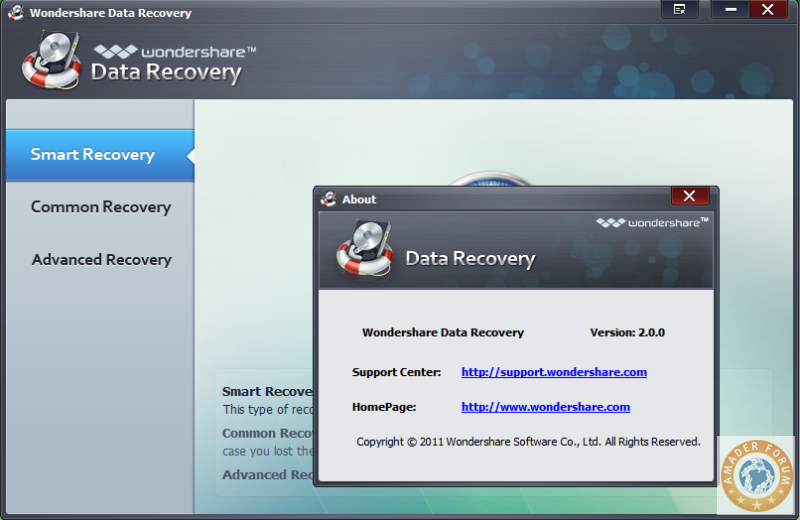
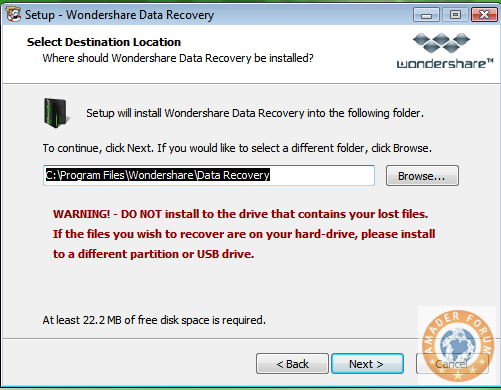
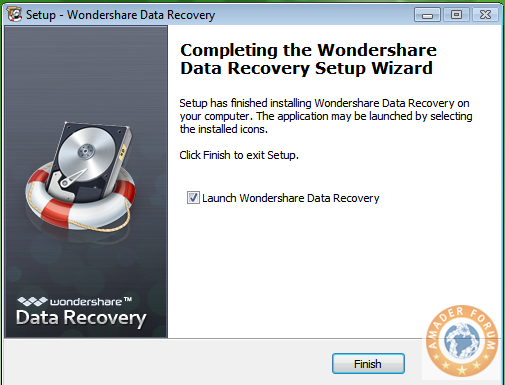
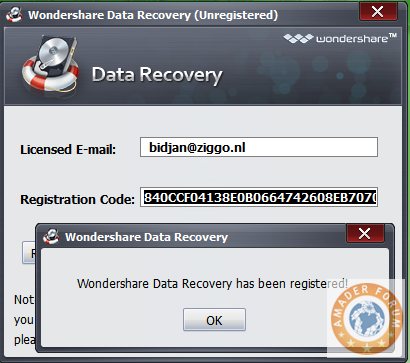
Wondershare Data Recovery v 2.0.0.48

Wondershare Data Recovery v 2.0.0.48


HOMEPAGE :


Code:
http://www.wondershare.com/data-recovery/

INFORMATION :


What's New in Version 2.0.0

Add preview function for some file formats during scanning for precise data search and recovery.

Support more file formats.

Add Partition Recovery function which can recover data lost due to partition loss, partition deleting, and inaccessible partition.

Add Resume Recovery function which can recover data from scan results saved last time without rescanning.

Add filter option to find target files precisely and quickly.


Recover your lost data from overall data loss situations

Fully recover documents, archives, emails, photos, videos and audio files.

6 unique recovery modes to thoroughly recover your lost data.

An easy-to-use wizard, no prior recovery skills needed.

System Requirements: Windows 7/Vista/2000/XP .

Safe, Easy &Fast to recover data

Wondershare Data Recovery is a powerful yet easy-to-use Windows data recovery software that can recover your deleted, formatted, lost and inaccessible data from PC, USB drive, external hard drive, mobile phone, digital camera, iPod, MP3/ MP4 player, and other storage media. This cost-effective and non-destructive data recovery tool with unique recovery modes helps you perform data recovery thoroughly.

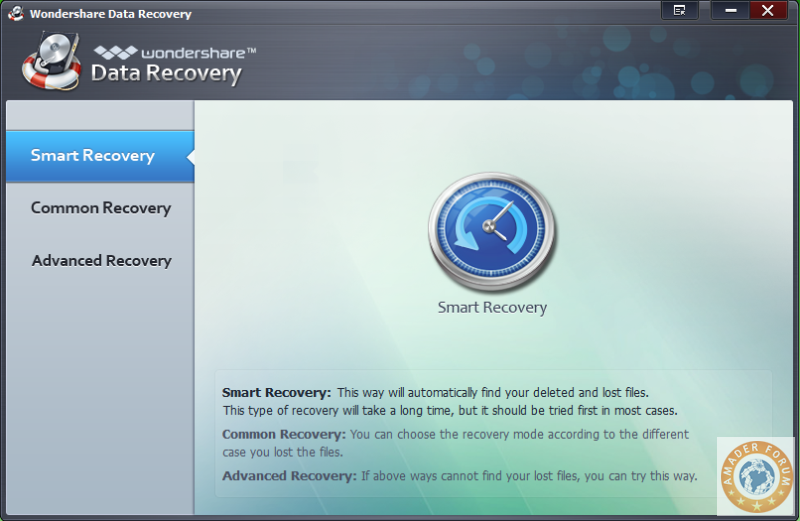
Smart Recovery - Retrieve your deleted and lost data just by one- click. New

Deleted File Recovery - Recover deleted data or folder with original name.

Lost File Recovery - Retrieve formatted and lost data even complete folder structure from formatted or logical corrupted partition.

Lost Partition Recovery - Recover lost partition and data due to partition loss, partition deleting, and partition
error. New

Raw Recovery - Deep scan and recover data even when the file system is corrupted.

Resume Recovery - Save and import previous scan results for continuous data recovery without rescanning.

Powerful Recovery Ability

Recover not only documents, but also photos, videos, music files, archives and emails.

Raw recovery and deep scan can recover data even when other recovery functions cannot do.

Recover data from various devices and data loss situations.

100% safe data recovery program to recover data without any damage on your data.

Flexible & Precise Data Recovery

Flexible to pause, restart data recovery in the scan process according to your needs.

Save and import the previous scanning results to do resume recovery without rescanning.

File name, size and date filter let you find specific files quickly to save you much time.

Versatile Preview Modes

Preview images before Windows data recovery to find your target files in short time.

Preview one page of documents and archives to let you enjoy data recovery and evaluate the recovery quality in advance .

Easy-to-use

Retrieve data within only 3 simple steps, just as easy as counting 1-2-3. No any prior recovery experience needed.


SCREEN SHOTS :


FILE SIZE :

Code:
9.61 MB

DOWNLOAD :


Code:
http://www.megaupload.com/?d=SJYY7F89
Code:
http://www.mediafire.com/file/pm792yq3ueh3bi3/Wondershare_%20Data_%20Recovery_v%202.0.0.48_Amaderforum.com.rar
Code:
http://www.filefactory.com/file/cbfa91d/n/Wondershare__Data__Recovery_v_2.0.0.48_Amaderforum.com.rar
Code:
https://rapidshare.com/files/459220736/Wondershare__Data__Recovery_v_2.0.0.48_Amaderforum.com.rar

UFS Explorer Professional Recovery v 3.19.1 (x86 x64)

UFS Explorer Professional Recovery v 3.19.1 (x86 x64)


HOMEPAGE :


Code:
http://www.ufsexplorer.com/download_pro.php

INFORMATION :


UFS Explorer Professional Recovery product is specially designed for RAID-related recovery tasks, including recovery of lost and deleted files from most popular file systems and storages. Supported file systems include Microsoft Windows FAT and NTFS, Apple MacOS HFS+/HFSX as well as old HFS; pupular Linux Ext2, Ext3, Ext4, ReiserFS, JFS and XFS; set of UFS variants, including Big and Little Endian UFS1/UFS2 as well as custom Adaptec UFS, traditional Novell NWFS volumes and CD/DVD file systems.

Software supports hard disks, removable storages, disk images, virtual disks of virtual machines, created with virtualization software of major vendors. Embedded RAID tool allows to recover data from failed software or hardware RAID and supports virtual reconstruction of RAID0, RAID3, RAID5, RAID6 and JBOD with flexible RAID configuration that includes RAID reconstruction. It allows virtually to rebuild RAID from real disks, disk images. Besides, it helps to make virtual reconstruction of RAID-on-RAID configuration as well.

UFS Explorer Professional Recovery Product Overview

The product targets:

Self-service and Professional-service lost data recovery from supported file systems

Data recovery from even complex RAID system after controller or disk failure, file system damage etc.

Data recovery from most popular Network Attached Storages (NAS) of major vendors such as Buffalo Terastation, Iomega, Synology, Promise, Intel, LaCie, Adaptec etc. This includes data recovery after NAS failure, NAS re-configuration, file system damage etc.

Replacement of Runtime Software products for data recovery from non-Windows files systems on Runtime Software Virtual Image files.

The key product features include:

Host OS: Microsoft Windows

Multiple file systems: Supported FAT and NTFS (Windows); HFS+/HFSX and old HFS (Apple Mac OS); Ext2, Ext3, Ext4, ReiserFS, JFS and XFS (Linux); UFS and UFS2 (Unix, BSD, Sun Solaris; both Sparc/Power and x86/x64 editions); traditional NWFS (Novell Netware); vendor customizations to XFS and UFS file systems.

Multiple styles of disk partitions layout: Supported all major styles of disk partitions layout used with supported file systems.

RAID recovery: Supported virtual reconstruction of RAID0, RAID3, RAID5, RAID6 and JBOD from disks and disk images. Supported RAID-on-RAID configurations.

Recovery: lost file systems recovery, deleted files recovery (undelete), damaged file systems reconstruction.

Localization: UFS Explorer identifies localized file names even on non-unicode file systems and recognizes UTF-16, UTF-8 and ASCII with local code pages.

Additional features: Save/restore scan results and RAID configurations. Supported import of Runtime Software virtual image files.

UFS Explorer Professional Recovery Technical Specifications :

Version 3 product:

Host OS:
Microsoft Windows

Windows: 2000, XP, Vista; Windows 2000-2008 Server

CPU: Pentium-class CPU

Architecture: 32bit

Hard disk requirements: below 6MB free disk space

RAM requirements: at least 256MB of RAM

Software dependencies: MS Internet Explorer version 5.0 and above.


SCREEN SHOTS :


FILE SIZE :

Code:
2.59 MB

DOWNLOAD :


Code:

http://www.mediafire.com/file/529mtwtsygrgrfy/Universal_File_System_Explorer_v%203.19.1_x86_x64_Amaderforum.com.rar
Code:
http://www.filefactory.com/file/cbe155b/n/Universal_File_System_Explorer_v_3.19.1_x86_x64_Amaderforum.com.rar
Code:
https://rapidshare.com/files/458903999/Universal_File_System_Explorer_v_3.19.1_x86_x64_Amaderforum.com.rar
no image

WinMend Data Recovery v 1.3.9

HOMEPAGE :


INFORMATION :


Release Date : 20.04.2011


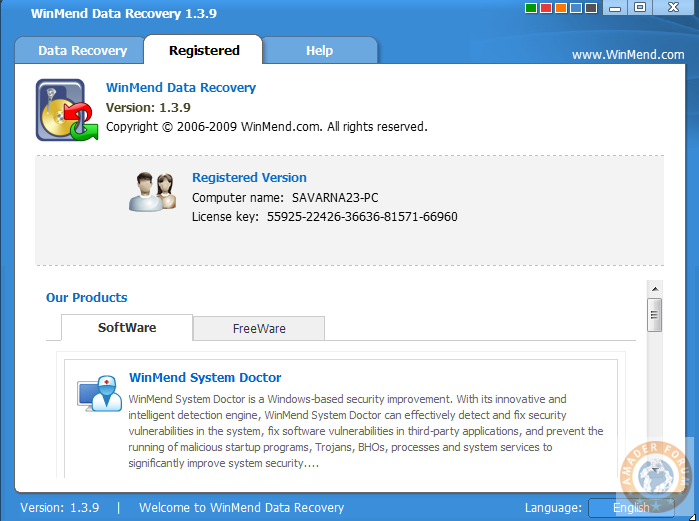
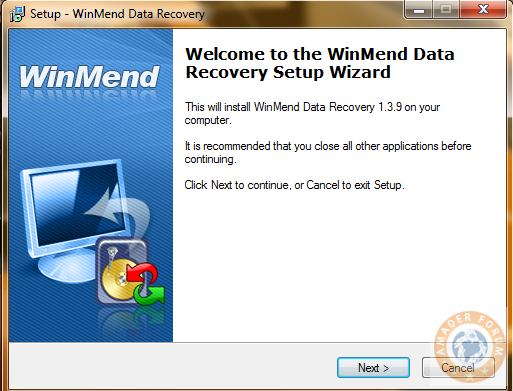
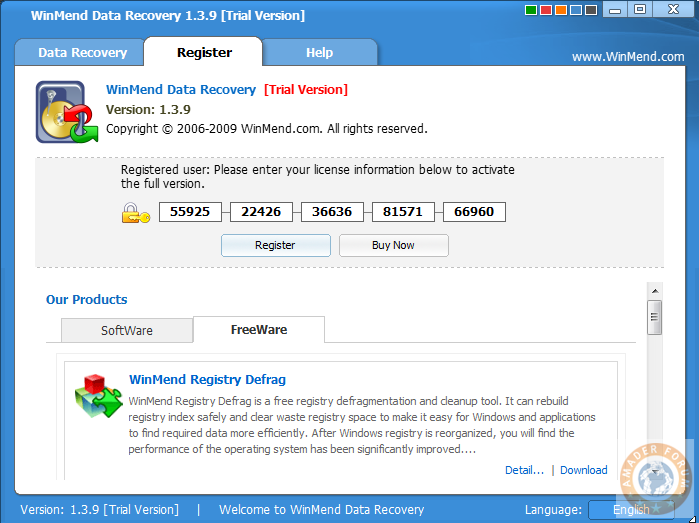
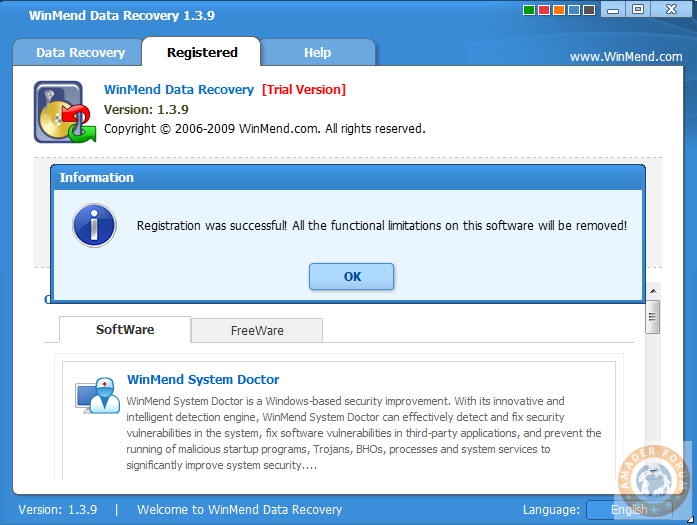
WinMend Data Recovery is a Windows-based data recovery application. It recovers data on FAT12/ FAT16/FAT32/NTFS/NTFS5 partitions in Windows operating systems. It can be used to scan partitions in various hard drives, removable drives and even in data cards, and to search and recover deleted or missing files, files lost during formatting or due to partition exceptions. With unique recovery algorithm, WinMend Data Recovery can significantly improve the accuracy and speed of scanning, and ensure everything done in an absolutely safe condition without any negative impact on the system. Supports Language: English, Czech, Hungarian.

Features :

1. Quick Scan


With this safe and high-speed scan engine, you can quickly locate and recover most deleted files.

2. Full Scan

In case Quick Scan fails, you can go through Full Scan, which will never miss a single chance to find missing files. Full Scan may take longer. However, with our unique engine, its speed and reliability are still significantly higher than its peers. (Full Scan is strongly recommended for formatted partitions.)

3. Unformat a Drive

If you lost your files due to the formatting of a drive, you can recover them with our Unformat a Drive function. Unformat a Drive helps you easily look for the lost files on the formatted drives and get them back with a few simple clicks!

4. Safe File Recovery

WinMend Data Recovery always ensures safe operations while recovering files. It never overwrites any current files. For those files that are not deleted but inaccessible because they are locked by the operating system or other applications, WinMend Data Recovery recovers and saves them to other partitions. Keep in mind, all operations are safe, and your current files will not be damaged or overwritten.
SCREEN SHOTS :


FILE SIZE :


Code:
1.95 MB

DOWNLOAD :


no image

Data Recovery Collections 2011

Windows Sofware | Data Recovery Collections ENG/FINAL 2011 | 616.85 MB

An assembly of the best programs to recover any data from any device on any occasion.
This CD contains programs to recover data from hard disk file systems Windows and Linux, scratched CD, DVD disks, USB Flash drives, various memory cards, cameras, MP3 players. One can also recover data from cell phones, and you will find a program for restoring SMS, phone numbers from your SIM card and a program to recover stuck pixel and reduce bad pixel spots on monitors.

http://www.filesonic.com/file/1229104521
Acronis Backup & Recovery

Acronis Backup & Recovery

 Workstation/Server 10.0.13545 (with Universal Restore)
Acronis Backup & Recovery Workstation/Server 10.0.13545 (with Universal Restore) | 1.83 GB
Acronis Backup & Recovery 10 Workstation - Software for backup and disaster recovery workstations and laptops running Windows across physical and virtual environments. While based on proven technologies create images and restore to bare metal, the new product is a next generation family of Acronis True Image, and provides powerful tools for protection of workstations.
Acronis Backup & Recovery 10 Workstation is built to back up and protect the intellectual property that resides in stand alone business desktops and laptops. Acronis Backup & Recovery 10 Workstation combines optimized data protection and ease of use. It creates an exact disk image of your office workstation enabling the operating system, applications and data to be recovered in minutes, instead of hours or days.
Based on Acronis patented disk imaging and bare metal restore technologies, this comprehensive, yet simple to use product can help organizations minimize downtime to meet strict Recovery Time Objectives (RTOs), and cut costs. Users can perform self service recoveries of files and folders in moments without administrator intervention. Even an entire Windows system can be restored in minutes using the Acronis one click restore feature.

Acronis Backup & Recovery simplifies and automates backup and recovery. In the process of creating a backup, a new line of products from Acronis eliminates duplicate data, thus saving up to 90 of the backup storage. With this program you can restore an entire hard disk, including operating system, applications, settings and all user data, and individual files and folders.

Main advantages:
Easy backup and restore your operating system Notebook
Backup copies of the operating system notebook can be stored in any central repository or locally in the Acronis Secure Zone to allow for an immediate recovery in case of failures.
Fast recovery system
Acronis Backup & Recovery October restore an entire hard disk, including operating systems, applications and user data in minutes rather than hours and even more so today.
Intuitive interface and a system of masters
Users can restore files, folders, and even their own workstations without administrator and do not require long term training
Migration to new hardware
Restore to dissimilar hardware is easy to perform using the optional Acronis Backup & Recovery Universal Restore. Move the old system to new, including all applications, data and settings, the computer is ready to continue working after a few minutes.

Key features:
Backing up event based
Backups can be triggered by such events or conditions like on / off the server, the input / output or user to add a certain amount of data.
Acronis Secure Zone and Startup Recovery Manager simplifies recovery
When you save a backup system in the Acronis Secure Zone and turn on the Startup Repair can restore your system without bootable media.
Advanced planning and backup policy based
You can be flexible backup plans depending on the IT strategy and the importance of the various workstations. Scheduled tasks will be carried out systematically for the full protection of critical data.

Benefits
Flexible backup storage for mobile users
Back up a laptop to a variety of storage devices and locations, including the Acronis Secure Zone , a partition on the laptop.

Minimize downtime and improve user productivity
With Acronis Backup & Recovery 1910, the contents of the hard drive contents including the operating system, applications and data can be fully recovered in minutes, instead of hours or days.

Acronis AdvantageSM support and maintenance program
The Acronis AdvantageSM program is an enhanced, multi level subscription based support and maintenance program. The first year of Acronis Advantage is included in the license price.

Intuitive user interface and workflow minimizes training requirements
Users can restore files, folders and even their workstation without administrator assistance or extensive training.

Simplified system migration to new and dissimilar hardware
Restoring to dissimilar hardware can be easily accomplished with optional Acronis Backup & Recovery 1910 Universal Restore software. Move an old system to a new one, complete with all applications, data and settings and be ready to continue operations in minutes.

Event based backup
Backups can be set to occur based on preset events and conditions such as a new program installation or the addition of a large volume of new data to the system. Acronis image based recoveries give you the granularity you need for any kind of recovery, putting you back in business in a hurry.

Unique Acronis Secure Zone and Startup Recovery Manager simplifies recoveries
Recover directly from a secure partition on the local hard drive on Startup without having to carry boot media.

Advanced encryption technology ensures data security
Provides the extra data protection you need with supplied industry standard algorithms or your own customized variants.

Advanced backup scheduling with policy based management
Develop backup plans that work with a companys daily routines and each employees work styles. The scheduled tasks will be launched systematically, keeping the critical data safely protected.

Backup options
Compression
Compress backups to optimize your storage space.

Excluding files during backup
Save storage space and time by excluding non essential files and folders from backups.

Dual destination backup
Store backups into two different locations backup to a local disk and a copy to a network share.

Automatic or manual splitting of backups
Split backups into volumes to fit media.

Recovery options
Acronis Startup Recovery Manager
If your system wont boot properly, press F11 during the system startup to start Acronis Backup & Recovery 10.

Bare metal restore
Restore your workstation from scratch in the event of a hard disk failure restore an exact copy of your computer on a new hard drive.

Virtualization support
Converting image backup to a virtual machine
Recover a disk (volume) backup to a new virtual machine of any of the following types: VMware Workstation, Microsoft Virtual PC, Parallels Workstation or Citrix XenServer virtual appliance.
Download Now 
http://www.filesonic.com/file/1097471351/Backup.Recovery.Advanced.10.0.13545.part1.rar
http://www.filesonic.com/file/1097396241/Backup.Recovery.Advanced.10.0.13545.part2.rar
http://www.filesonic.com/file/1097466491/Backup.Recovery.Advanced.10.0.13545.part3.rar
http://www.filesonic.com/file/1097396261/Backup.Recovery.Advanced.10.0.13545.part4.rar
http://www.filesonic.com/file/1097361751/Backup.Recovery.Advanced.10.0.13545.part5.rar
no image

Aidfile Recovery Software 3.3.1.0 Incl.Serial

Aidfile Recovery Software 3.3.1.0 | 3.8 MB

Aidfile Recovery software is a powerful data recovery tool for recovering files from deleted / formatted / repartition / missing drives / partition table damaged etc. It supports EXFAT / FAT32 / NTFS file systems. Aidfile data recovery can recover the data while there is an error happens to your software, for example: partition error writing, unintentional formatting, accidentally deletion, false backup, MBR losing, bad sector of BOOT, virus attack, Hackers Attack, conversion error, partition logic error, logical bad sectors of hard drives, partition table lost, ect. The success rate is exclusively high.


Aidfile Recovery Software Keyfeature
* File recovery after accidental format, even if you have reinstalled Windows.
* Get back files after a partitioning error or hard disk crash.
* Recover lost deleted partitions.
* Recover deleted or lost files emptied from the Recycle Bin.
* Recover formatted lost MS office word excel document, photo, image, video, music, email, etc.
* Recover from hard drive, USB drive, memory card, memory stick, camera card, Zip, floppy disk or other storage media.
* Support EXFAT, FAT32, NTFS file systems.
* High quality of file recovery.

Aidfile Recovery Software Function :

* Format Recovery
When drive has been formatted, encountered not formatted error, Aidfile Recovery software is the best solution if you just formatted your hard drive partition by or memory card by mistake, drives or card reading "the drive is not formatted, do you want to format it now?". Recovering files after formatted FAT, NTFS partition with file recovery tool to recover you reformatted file.
* Deleted Recovery
Deleted File Recovery can recover deleted files, including documents, photos, mp3 and zip files, folders and all kind of damaged disks. In addition to HDD, the program supports any type of storage media (music sticks, cameras, flash drives, USB drives, etc)! It works with encrypted files and helps you to recover the lost file.
* Partition Recovery
Recover file data if the data is lost by repartition or patition table error or partitions size is changed partitons combination or partitions type is changed.
* Advance Recovery
If the folders are deleted or files name is unknown or files infomation (files MFT record in NTFS file system,files Directory entry in FAT32 file system) is overwitten, Aidfile Recovery Software can scan the hard drive by file type,such as doc, docx, jpg, mp3, mp4, 3gp, avi, etc.
 DOWNLOAD NOW